Award work to trades who hold what the job needs.
Put each work package out to quote, see every bidder checked against the job, and collect their end-of-job certificates for handover. All in the same app that keeps your own business compliant.
What a builder's map covers
- Domestic Builder (Unlimited) and Commercial Builder registration with the BPC
- Minimum financial requirements for domestic builders
- Public liability, and what your subbies must hold
- Home warranty on domestic contracts over $20,000
- Deposit and progress payment rules under the Domestic Building Contracts Act
- Mandatory inspection stages and handover certificates
How a tender runs
From a work package to a compliant, awarded trade.
Set up the package
Add the scope, the trade and the kind of work. Its requirements come from the same Victorian rules: a plumber's warranty cover on domestic work, for example.
Invite trades
Pick from your subbies or add someone new. Each gets a link to quote or decline. No account needed.
Compare compliant bidders
Bidders are listed compliant first, with their quote, what's met and missing, and how it was checked.
Award
Awarding someone missing a legal requirement asks for a reason, kept in the audit log. The others are told they weren't chosen.
One tender, three views
A made-up electrician putting a plumbing job out to quote, as each person sees it.
The work package
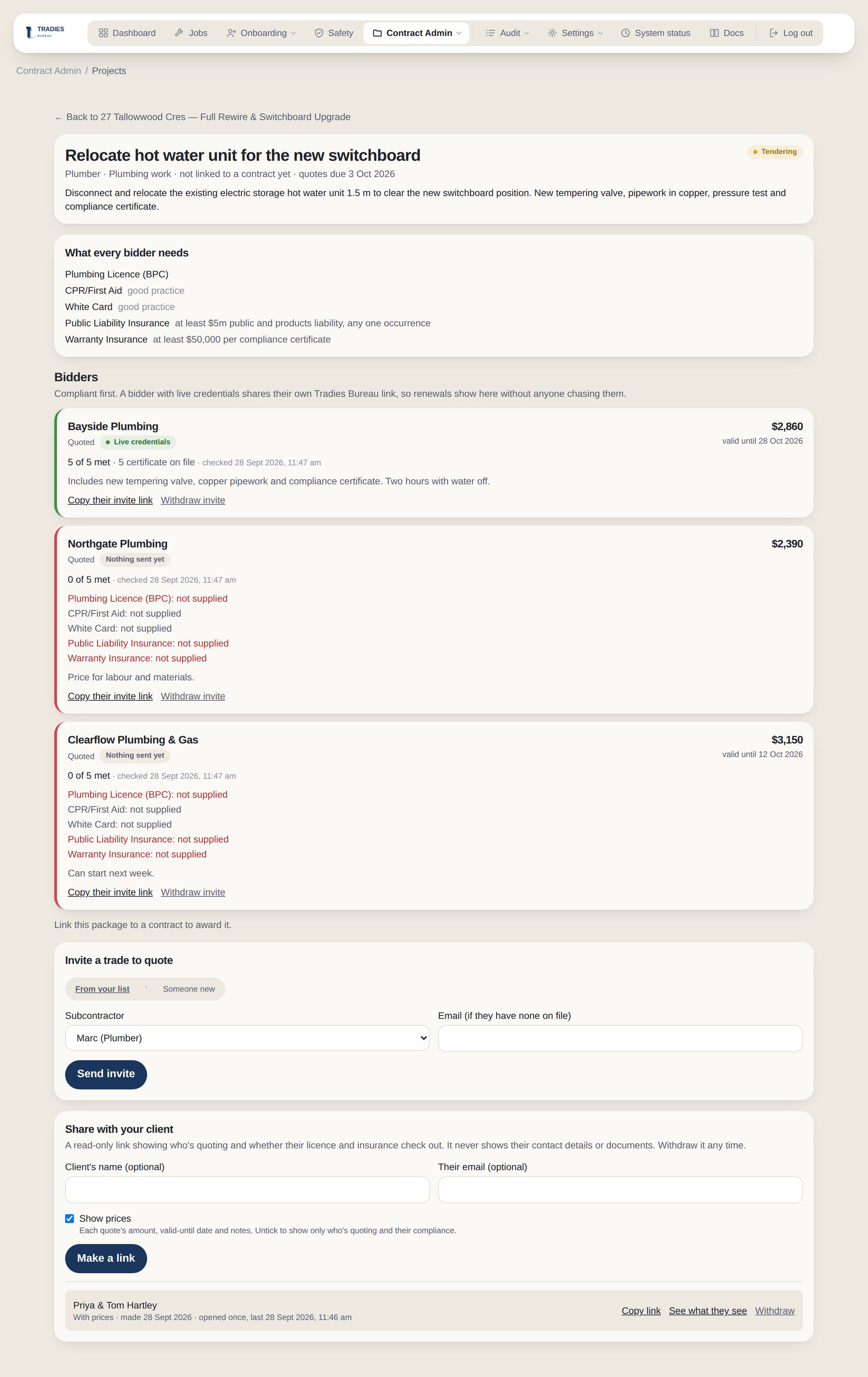
What every bidder must hold, then each quote with what's met and missing. Bayside Plumbing shares live credentials, so it's checked without anyone chasing paperwork.
- Compliant bidders listed first
- Invite from your subbie list or someone new
- Share the quotes with your client
The trade's invite
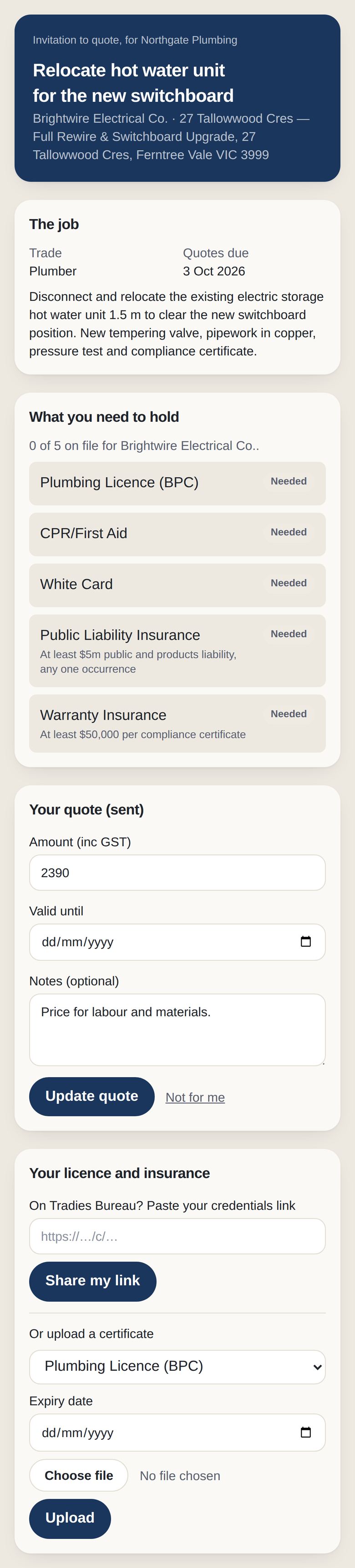
The trade opens a link. No account, no app to download.
- The scope and what they need to hold
- Quote, or say it's not for them
- Paste a credentials link or upload certificates
Your client's page
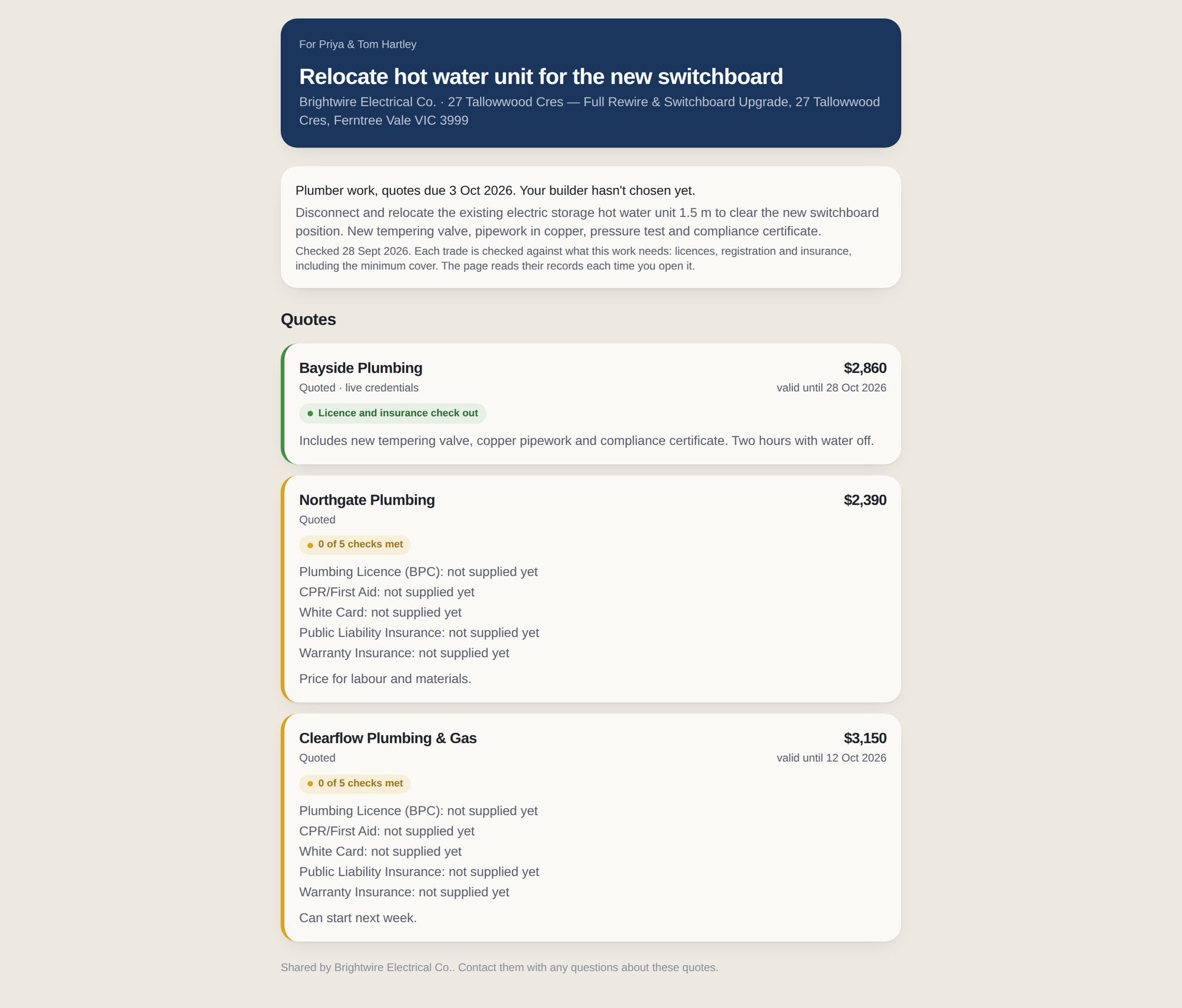
Show your client who's quoting and whether they check out, with or without prices.
- Never shows bidders' contact details or files
- Shows who you chose once you award
- Withdraw the link any time
Live credentials win
Bidders can share their Tradies Bureau credentials link instead of uploading files. Choose to list them first among equally compliant bidders. Nobody is ever excluded for it.
Show your client
Share a package's quotes with your client on a read-only page, with or without prices. They see who's compliant and who you chose, never bidders' contact details.
Certificates at handover
Once awarded, trades send end-of-job certificates through the same link. You accept or reject them, then hand them to your client in their portal.
Flagged mid-project
After award, each trade's certificates are checked every night. One running out during the job lands in your Sunday digest.
Contracts that follow the Act
Claims to the owner are checked against the deposit and stage caps, and variations are signed online and sent with a PDF.
Your subbies, onboarded
Agreements signed online, certificates uploaded and checked, WorkCover and PI requested, and a contractor-or-employee check on file.